
Restaurant Software
Modern Restaurant Software Built for Growing Businesses
An all-in-one restaurant management platform with POS, QR ordering, digital menus, KDS, table and floor-plan management, gift cards, loyalty, staff tools, reporting, AI assistance, multilingual support, and flexible hardware options.
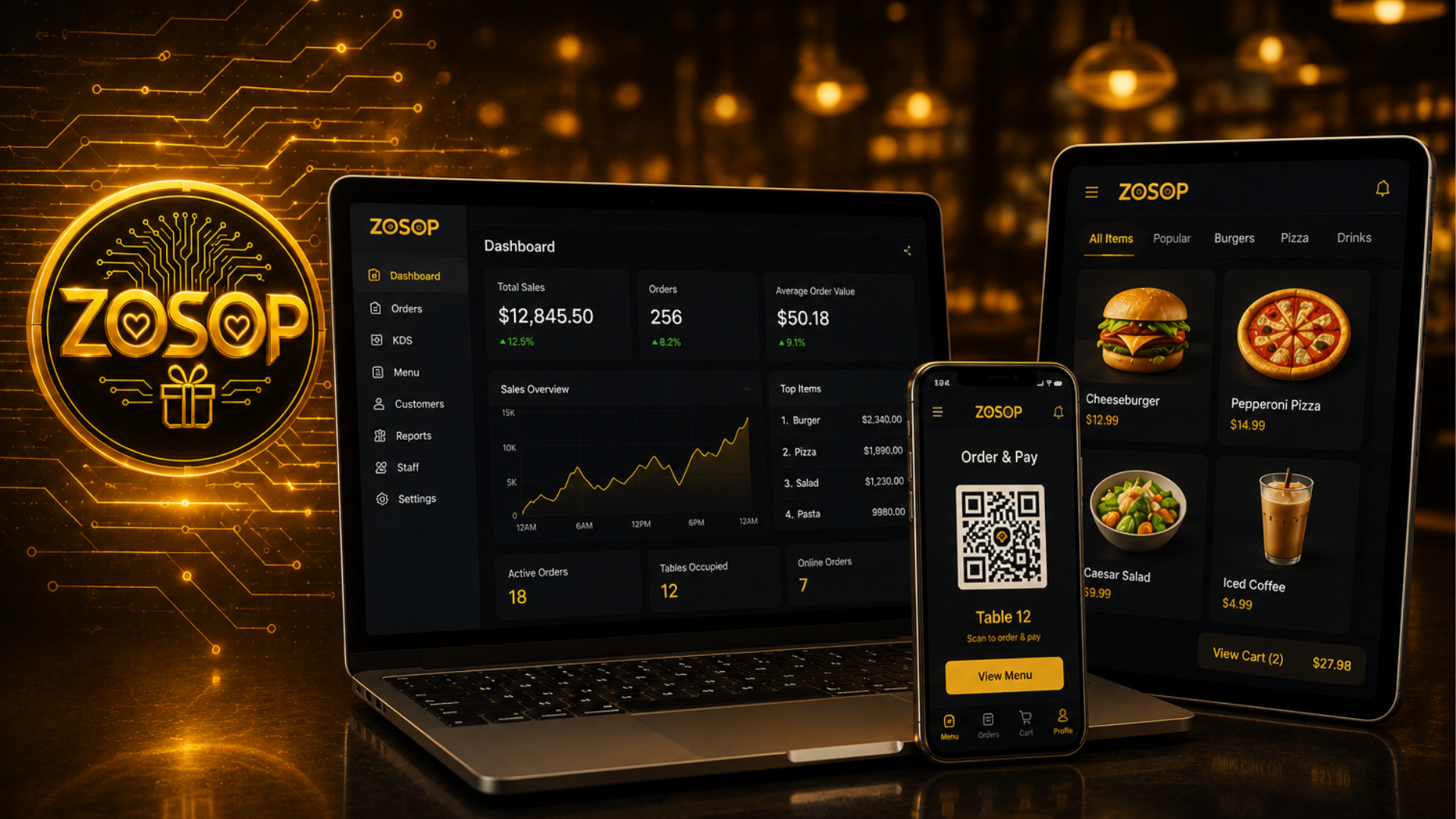
**Run your restaurant with one connected platform for ordering, operations, staff, customer engagement, reporting, and future growth.**
Running a small restaurant used to mean paying for three, four, sometimes five different pieces of software every month. A point-of-sale system. A separate online-ordering platform. A gift-card provider. A loyalty program. A reporting tool. Each one arrived with its own login, its own subscription, and its own annual price increase. For a neighborhood café, a family kitchen, a single-truck food business, or a weekend bakery, the total bill often crept past a few hundred dollars a month before the first customer walked in.
ZOSOP was built to change that. It is a complete restaurant management platform delivered as a single, connected subscription that replaces the tangle of separate systems most restaurants juggle today. Flexible plans are available based on each business's features, locations, hardware, and operational requirements — contact ZOSOP for a customized software and payment solution.
A complete platform under one subscription
ZOSOP is a cloud-based, all-in-one platform designed to help restaurants, cafés, food trucks, bakeries, and growing hospitality businesses run the entire front-of-house and back-of-house from one place. It runs directly in any modern web browser on the devices you already own, with flexible hardware options for teams that want dedicated terminals, kitchen displays, or receipt printers.
The subscription includes an integrated point-of-sale, QR ordering, a digital menu, a kitchen display system, table management with a visual restaurant floor plan, appointment booking, gift cards, a loyalty program with punch points, customer management, staff management, reports and analytics, an AI assistant, and multi-language support — all under a single connected platform.
Point-of-sale that stays out of the way
The ZOSOP POS is designed to help a small team move fast. Take orders at the counter, at the table, or on a mobile phone. It handles split checks, multi-tender payments, discounts, and refunds without a manager PIN dance for routine actions. Every ticket flows straight into the kitchen display, and every closed shift reconciles automatically at end of day.
Because the POS was built for the pace of a real restaurant, staff usually take orders on their second day. A five-minute walkthrough is enough to add a new server; a full manager training rarely takes more than an afternoon.
QR ordering the guest actually enjoys
Guests scan a QR code on their table, browse the menu on their own phone, and place their order directly. There is no app download and no account signup. The order lands in the kitchen the moment it is confirmed.
QR ordering works for full-service dining, quick-service counters, food truck pickup, and delivery kiosks — the same menu, the same code, one flow. Because the menu the guest sees is the same menu the counter sees, prices, photos, and sold-out flags always match.
Digital menu with real-time control
The digital menu is a single source of truth. Change a price, upload a new photo, mark a dish as sold out — the change appears on the counter POS, the guest's QR menu, and the kitchen display simultaneously. No printer runs, no reprinted menus, no stale information at the table.
Menus can be organized by category, by course, or by service window. Modifiers, add-ons, and allergen tags follow the item everywhere it appears.
Kitchen Display System
Every fired ticket surfaces on the KDS with timers, station routing, and a clear ready/served workflow. The kitchen sees the same order the counter did, in the same second. Modifiers, allergen flags, and course order are preserved end-to-end so the line does not have to interpret a paper ticket in the middle of a rush.
Table Management and visual floor plan
Draw your restaurant floor plan visually — tables, sections, the patio, the private room, the counter seats. Assign servers, track table status (open, ordered, food out, check dropped, cleared), and see the whole shift at a glance. When a guest asks to move to a bigger table mid-meal, the entire ticket moves with them.
The floor plan editor is small enough for a five-table café and scalable enough for a multi-section restaurant with a bar and a patio.
Appointment booking
For restaurants running cooking classes, private events, chef's tables, tasting menus, or reserved seatings, appointment booking sits alongside the same platform. Guests reserve online. Staff sees the schedule inside ZOSOP. There is no separate booking app to pay for.
Gift cards and a customer wallet
Sell branded gift cards in-store, at the counter, or online. Balance, expiration, and refunds are handled automatically. Guests keep their gift card in the ZOSOP customer wallet — the same place their loyalty points and receipts live — so they actually check it, instead of losing a plastic card in a drawer.
Loyalty program and punch points
Reward returning guests with points on every visit or on every dollar spent. Redeem points for free items, dollar discounts, or category-specific rewards. Restaurants running a classic "buy 10, get 1 free" model can use punch points instead — the digital version of the paper stamp card, without the printing costs and without the lost cards.
Loyalty is designed to help restaurants build repeat traffic. When paired with the customer wallet and the customer management view, the same points a guest earns can turn into a friendly note at their next visit.
Customer management
Every guest interaction — orders, gift-card top-ups, loyalty points, appointments, feedback — rolls up into a per-customer profile. See who your regulars are. See who has not visited in six months. Send a friendly note. The tool is built for the kind of relationship the neighborhood restaurant used to have, before the switch to anonymous third-party apps made it harder to know your guests.
Staff management
Schedules, roles, hourly pay, tip pooling, and permissions live inside the same system. A manager PIN protects sensitive actions like voids, comps, refunds, and cash-drawer opens. Payroll reports can be exported to CSV or PDF for your accountant at the end of the period.
Onboarding a new hire is a couple of minutes — add the person, assign the role, hand them the login. Roles ship as sensible defaults (server, host, kitchen, bar, manager) and are configurable when the restaurant has its own conventions.
Reports and analytics
Daily, weekly, and monthly reports on sales, tips, labor, top items, category mix, and payment methods — all live, all in one dashboard. Restaurants with more than one location can compare side-by-side. Charts and tables are exportable so the numbers move cleanly into a spreadsheet or an accountant's tool.
Reports are designed to answer real operating questions: what did we sell last Friday night, which items had the highest margin last month, which server upsold the dessert menu the most.
AI assistant
A built-in AI assistant helps staff and owners answer questions faster. Ask it what your best-selling item was last week, what a specific menu modifier does, or how to configure a new gift-card promotion. The AI assistant reads your ZOSOP data so its answers are grounded in the actual restaurant, not a generic help article.
Multi-language support
The platform speaks English, Vietnamese, Spanish, and Simplified Chinese, so bilingual staff or a diverse customer base does not have to compromise on the tool. Menus can be maintained in more than one language, and the POS interface follows the staff member's preferred language.
Runs on the devices you already own
There is no proprietary ZOSOP tablet, no "certified" cash drawer, no special hardware you must buy from us. ZOSOP runs directly in any modern browser, which means it works on:
- iPhone and iPad
- Android phones and tablets
- Windows PCs and laptops
- macOS laptops and desktops
- Existing POS terminals
If your staff can open Safari, Chrome, Edge, or Firefox, they can run ZOSOP. Reuse the tablets you already have on the counter, pair a small receipt printer over the network, and you are set up.
Cloud-based with automatic updates
Every transaction, every menu change, every schedule edit is stored in the cloud with per-second replication. If the tablet at the counter is dropped, the day's data is safe — sign in on any other device and pick up where the last order ended.
New features roll out to every restaurant automatically, without downtime and without a store visit. Continual improvement is part of the subscription — restaurants receive the same platform whether they signed up last month or last year.
Flexible plans for every business
Many restaurant software systems charge separately for every module a real restaurant needs: online ordering, gift cards, loyalty, reports, staff scheduling. ZOSOP focuses on providing a modern, connected solution where the major features are included in the platform — not sold as separate add-ons. Flexible plans are available based on each business's features, locations, hardware, and operational requirements; contact ZOSOP for a customized software and payment solution.
Small restaurants and growing chains alike need the same core tools. The base plan gives a single restaurant everything to open, take orders, and close the day. Multi-location plans build on the same foundation so you do not have to migrate to a "bigger" system when you open your second, third, or fifth location.
Setup, support, and continuous improvement
Every new ZOSOP restaurant gets free setup assistance. The team helps you import your menu, configure taxes, connect your printer, and train your first shift. Responsive technical support is available when questions come up during service — real humans, real fast.
The platform is continually improving. Recent updates have added the AI assistant, the visual floor plan editor, and expanded reporting — all delivered as part of the same subscription, with no re-quote and no re-negotiation.
Practical, feature-rich, built to grow with you
ZOSOP is a practical solution for restaurants that want professional tools without the professional-services price tag. The platform is designed to help small teams do the work of a much larger operation, built for the pace of a real service, and continually improving as the industry changes.
Request a Demo
Curious what ZOSOP would look like for your restaurant, café, food truck, or bakery? Book a live walkthrough with our team and see the full platform in action.
Request a Demo → https://www.zosop.com
Frequently asked questions
How much does ZOSOP cost?
Flexible plans are available based on each business's features, locations, hardware, and operational requirements. Contact ZOSOP for a customized software and payment solution.
What devices does ZOSOP run on?
ZOSOP runs directly in any modern browser, so it works on iPhone, iPad, Android phones and tablets, Windows PCs and laptops, macOS laptops and desktops, and existing POS terminals.
Do I need to buy special hardware?
No. There is no proprietary ZOSOP tablet, cash drawer or POS terminal you must buy. Reuse the devices you already have and pair a standard network receipt printer.
Is ZOSOP suitable for a single restaurant and for chains?
Yes. The base plan covers a single restaurant end-to-end, and multi-location plans are built on the same foundation so you do not have to migrate to a bigger system as you grow.
Does ZOSOP include setup help?
Free setup assistance is included with every new restaurant. The team helps import your menu, configure taxes, connect your printer, and train your first shift.